What is Auto-Close-Off
Auto-Close-Off is a default feature for the Helpdesk whenever an employee (ticket issuer) has not respond to the Helpdesk Agent message.
What's the duration for the Auto-Close off feature?
It is set as 72 hours by default. Admin is not able to make any changes to this setting to reduce or increase the duration for auto-close-off.
How to Trigger Auto-Close-Off for Helpdesk Ticket?
To trigger the auto-close-off feature, the ticket must meet the below ALL scenarios. Please note that Auto-Close-Off is not a feature that can be turned off by Admin.
Criteria 1:
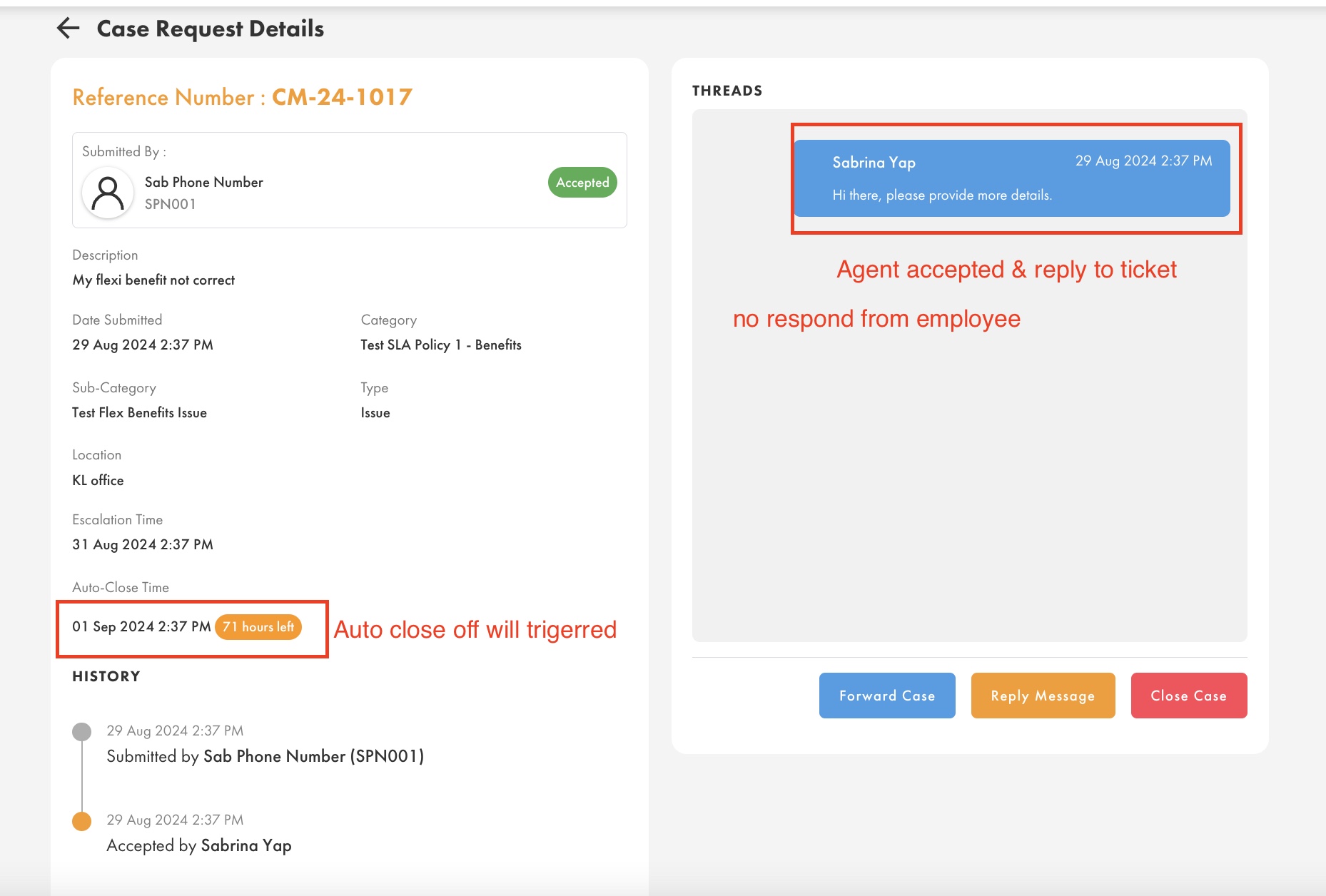
Auto-close-off feature will be triggered upon when the Agent reply to the ticket, andnd there is no respond from the employee (ticket issuer). Example like below:
- Agent must accept the ticket, and reply to the ticket. This will trigger auto-close-off.
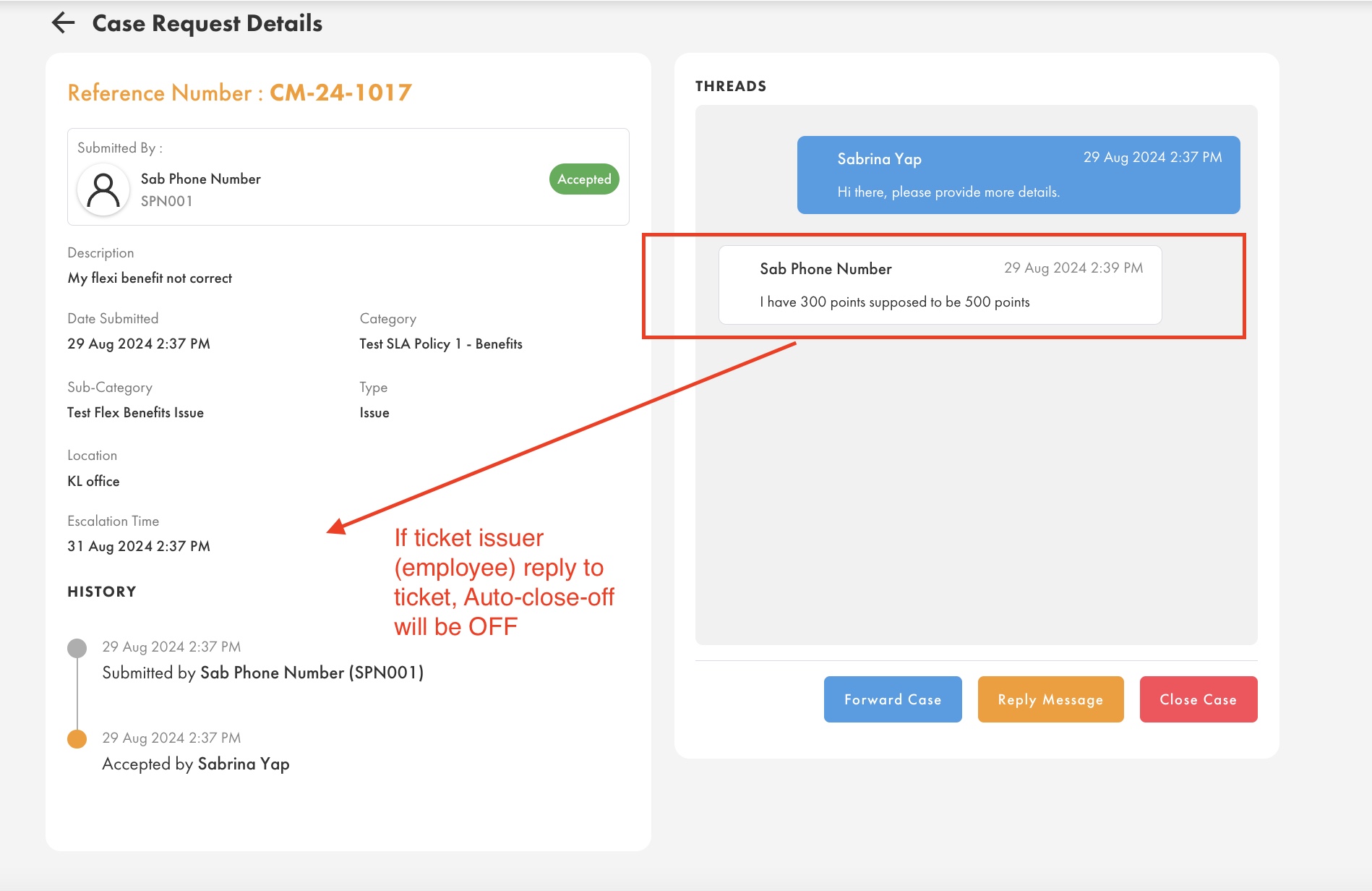
- If the ticket issuer (employee) replies to Agent, the auto close off will turned off.
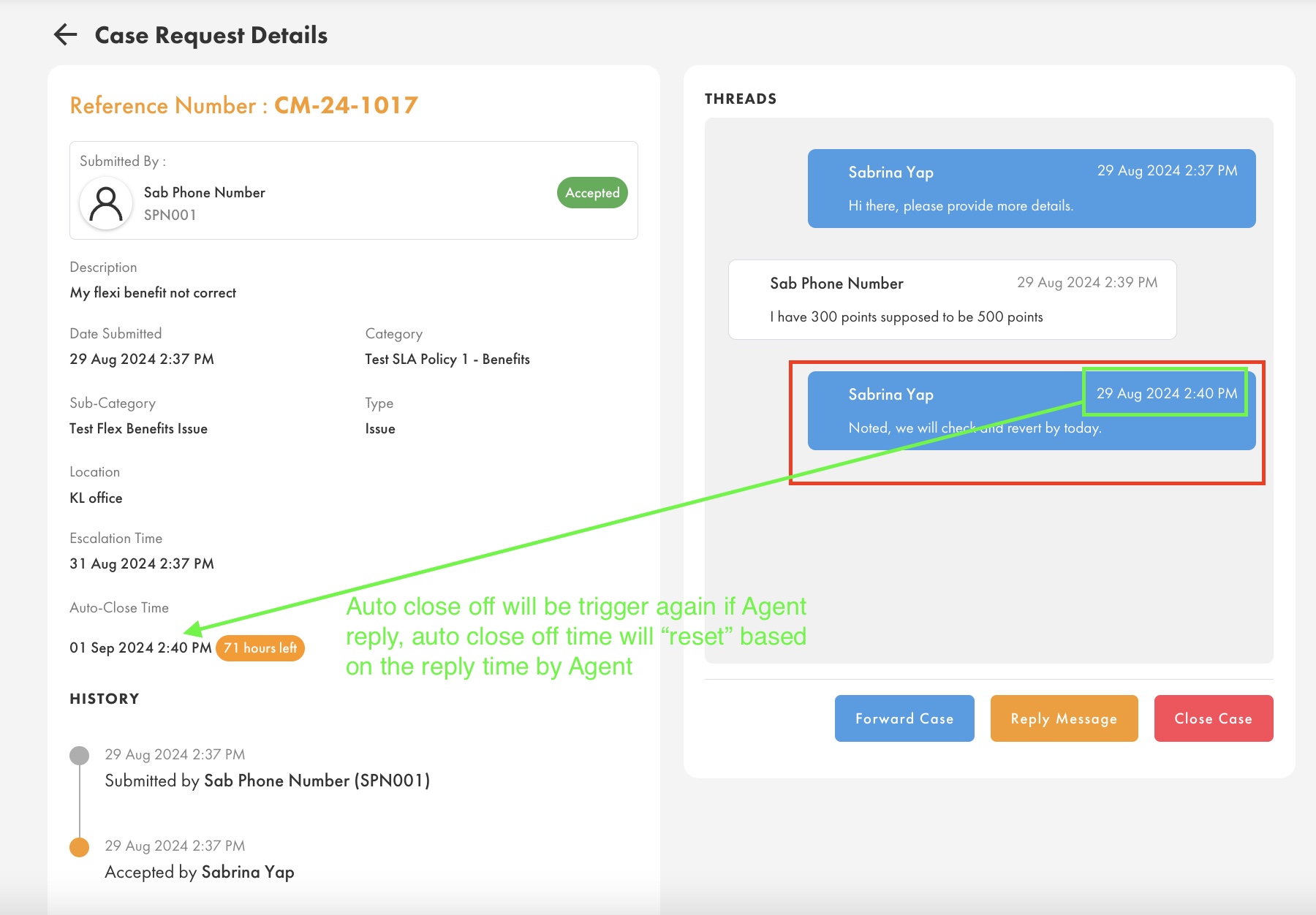
- If the Agent again replies to the ticket, the auto-close-off time will be triggered again. Please note that the auto-close-off time will always reset based on the time that the LAST respond from the Agent. It is not following the first response from Agent.
Criteria 2:
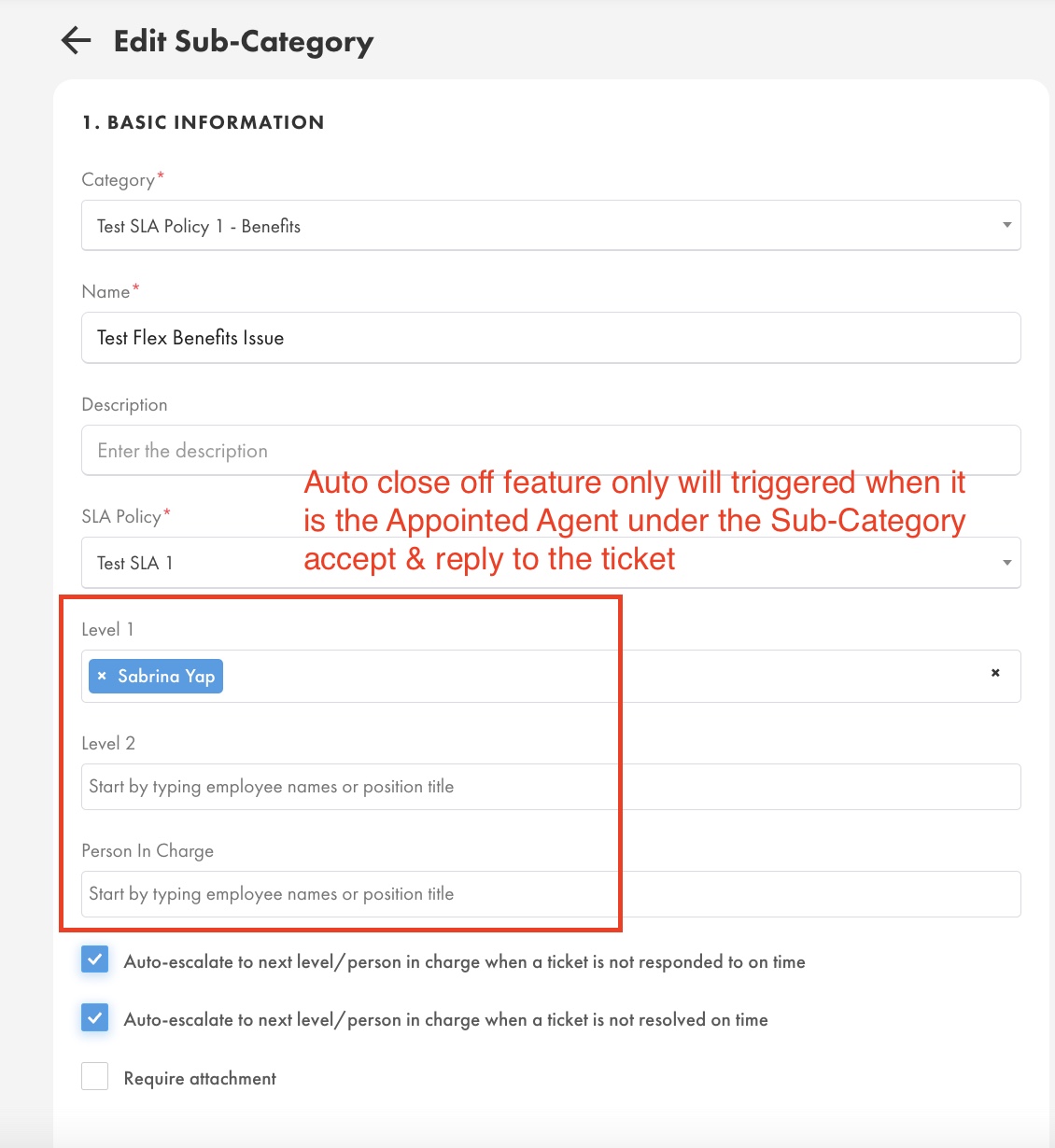
- It must be the assigned Helpdesk Agent accept & reply to the ticket.
- Assigned Helpdesk agent can be set at Helpdesk > Setting > Sub-Category > Level 1/ Level 2/Person Incharge
Was this article helpful?
That’s Great!
Thank you for your feedback
Sorry! We couldn't be helpful
Thank you for your feedback
Feedback sent
We appreciate your effort and will try to fix the article