Move (Transfer) of existing Sub-Category to another Category
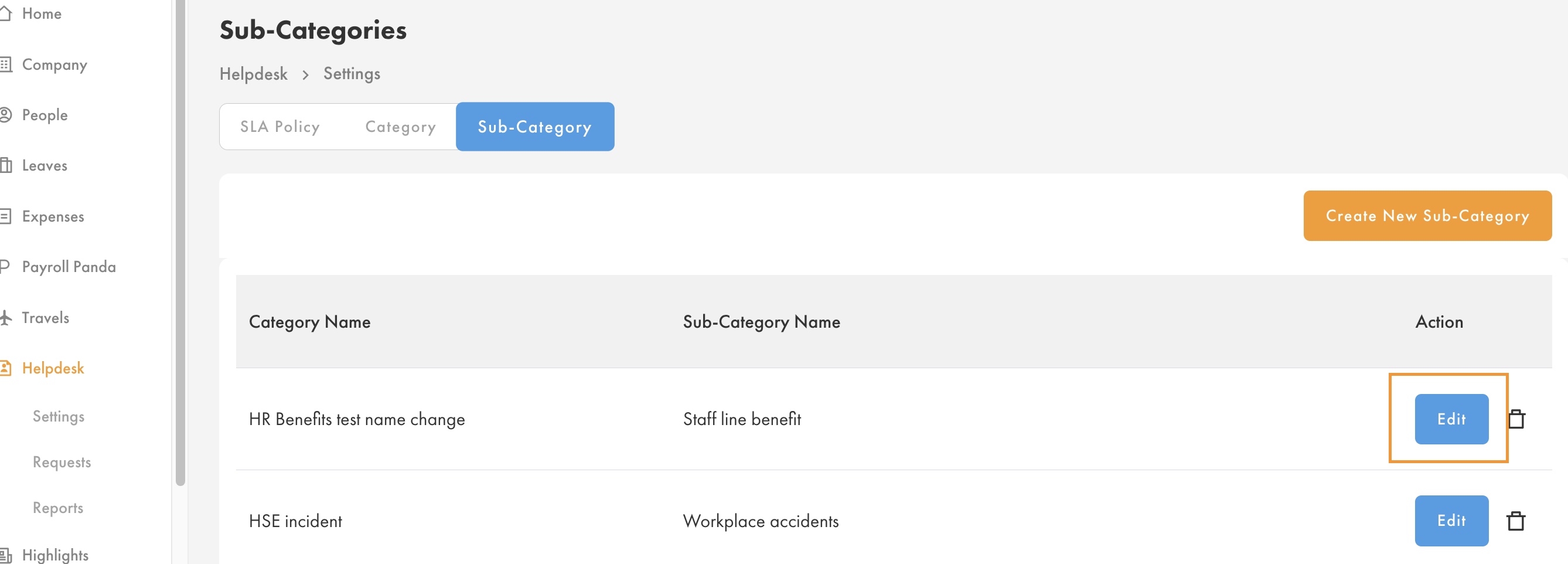
- Go to Helpdesk > Settings > Select the Sub-Category that you want to move (transfer) to another Category > Edit
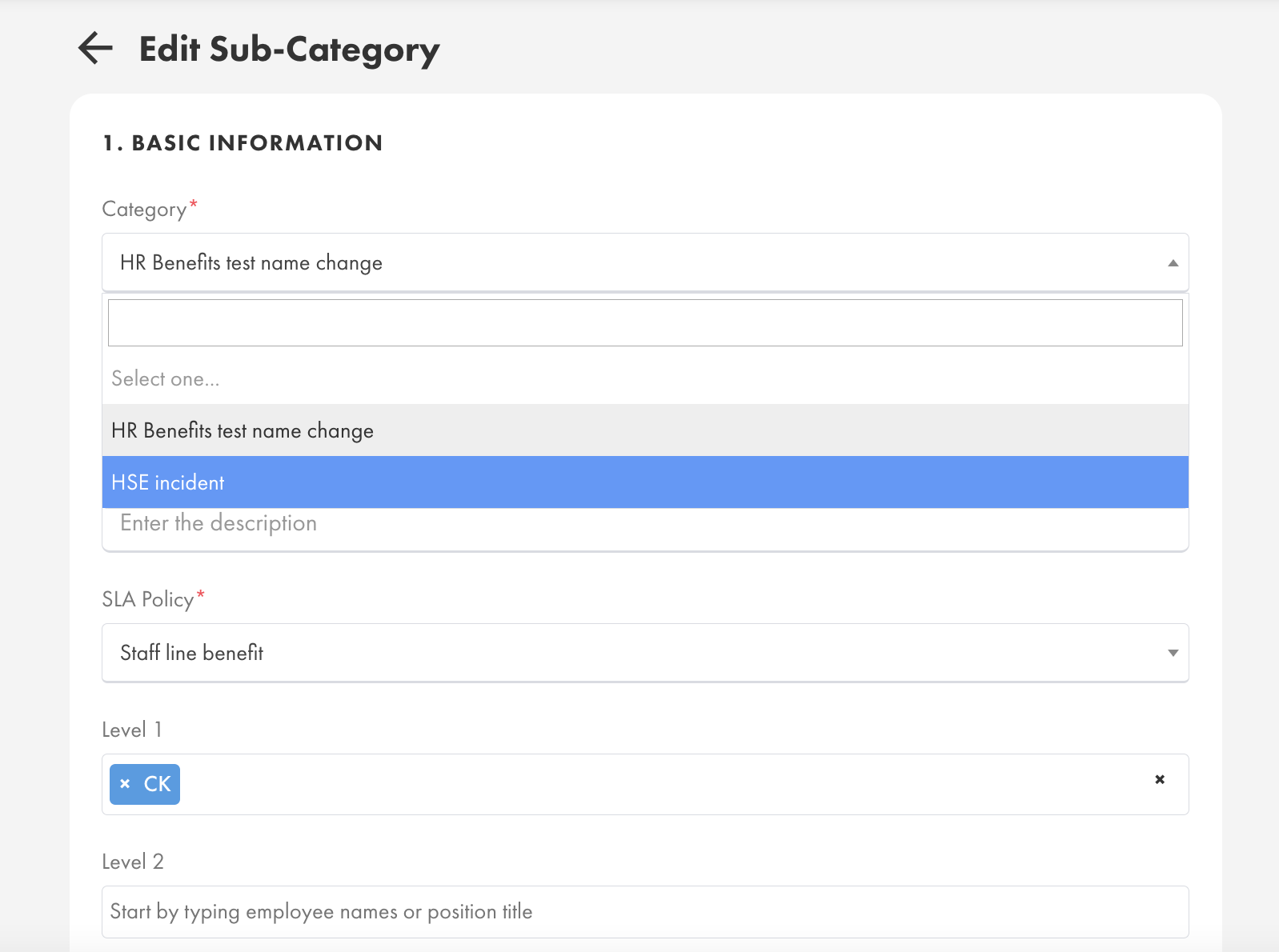
- At the field "Category", choose the Category that you want to move this Sub-Category
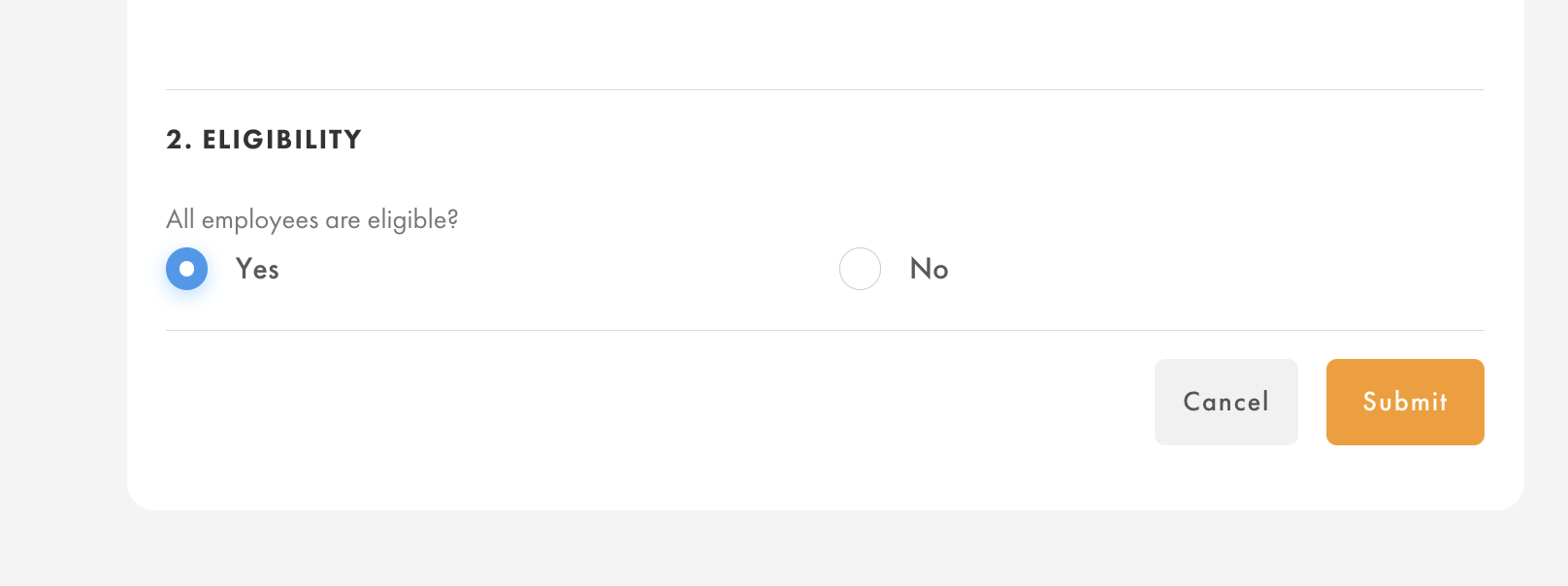
- Scroll down, click "Submit" to save changes
Notes:
- Moving of sub-category to another category will immediately reflect the New Category to all tickets which including closed tickets and active tickets's Category & Sub-Category's naming.
- The changes of new category will be reflected in reports as well. (Report will show only New Category).
Was this article helpful?
That’s Great!
Thank you for your feedback
Sorry! We couldn't be helpful
Thank you for your feedback
Feedback sent
We appreciate your effort and will try to fix the article