Edit Helpdesk Category & Sub-Category
Rename of Sub-Category & Category
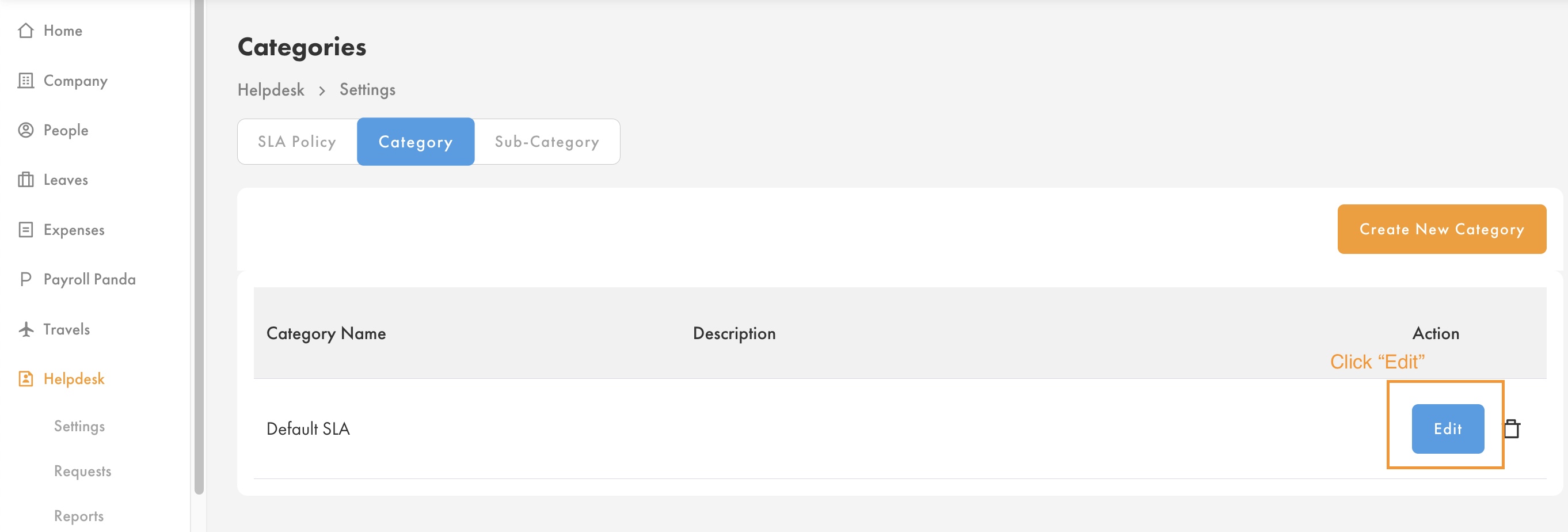
- Go to Helpdesk > Settings > Category/Sub-Category > Click "Edit"
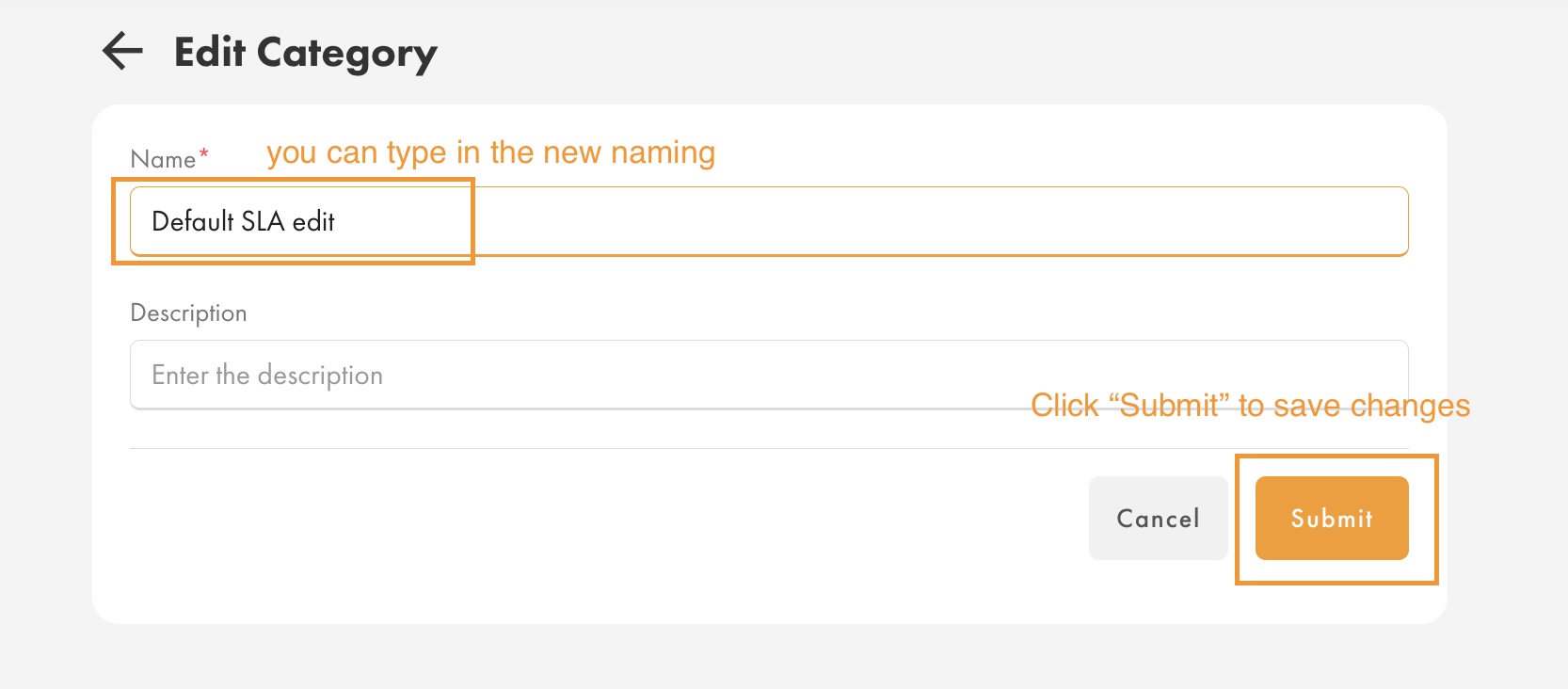
- At "Name", type in the new naming for your Helpdesk's Category/Sub-Category > Click "Submit" to save changes
- Notes:
- It will immediately reflect to all tickets which including closed (past) tickets and active tickets's Category & Sub-Category's naming.
- The new naming will also reflect on reports as well for all tickets including closed (past) and active tickets.
Deletion of Sub-Category/Category
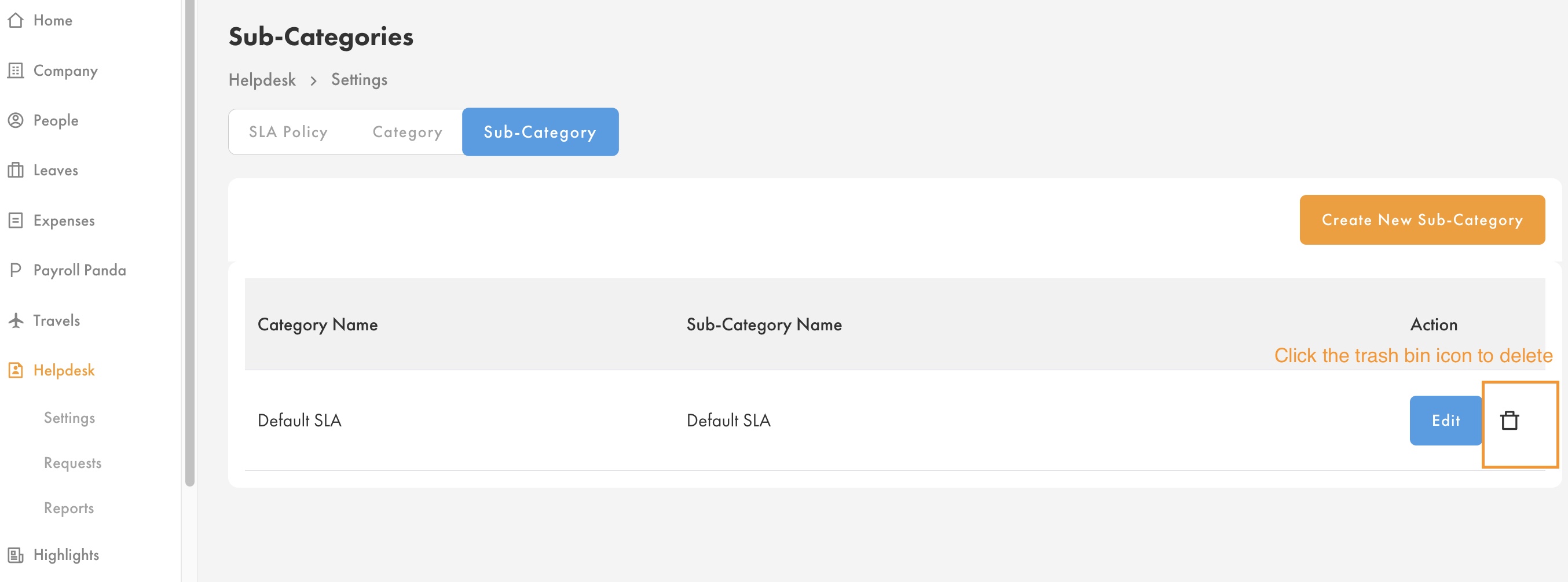
- Go to Helpdesk > Settings > Category/Sub-Category > Select the Category/Sub-Category that you want to delete > Click the trash bin icon to DELETE
Notes:
- Once you've deleted the Category/Sub-category, you're not able to undo the deletion to retrieve back the Category/Sub-Category.
- Helpdesk's Category & Sub-category is not able to "Disable" (retire while remaining record in system) a category/sub-category, you must delete it if you don't want to display it under Helpdesk.
- Deletion of sub-category/category will not affect the ticket which already been raised (Open,Accepted,Closed). Which mean, the Helpdesk's agent is still able to accept/reply to the ticket under the deleted category/sub-category.
- Report:
- System able to capture previous deleted sub-category/category tickets in report.
- The affected part is only the report filter as the deleted sub-category/category will be deleted from the report filter. This may affect if you have specific work process that need to use report filter when generate the report:
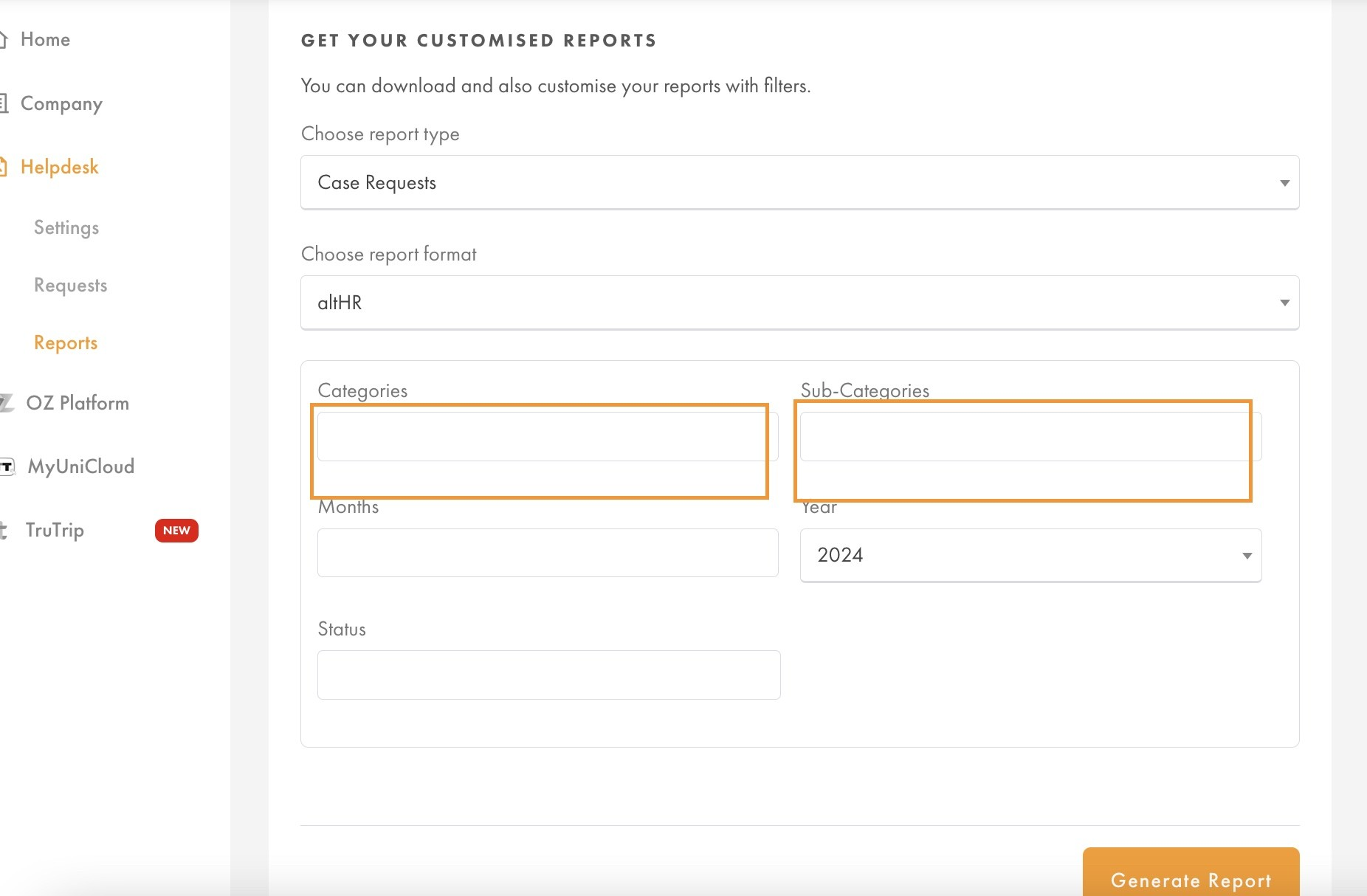
- However, you can still able to generate the deleted category/sub-category report by not fill in the filter for Category & Sub-Category as per above screenshot.
Was this article helpful?
That’s Great!
Thank you for your feedback
Sorry! We couldn't be helpful
Thank you for your feedback
Feedback sent
We appreciate your effort and will try to fix the article