Due to security and compliances issue, the customer support team has a limited access to the customer profile administration, and this include the customer customized Annual Leave Policy configuration that designed dedicatedly for the customer.
When to attach this:
Questions about annual leave entitlements
Leave balance discrepancies
Carry forward leave behaviour
To ensure timely and accurate assistance, we require the relevant Annual Leave Policy, below are the step-by-step guide to retrieve your Annual Leave Policy for us.
Step-by-Step Guide to Retrieve Your Annual Leave Policy:
Login to altHR admin console.
Navigate to Leaves > Policy
Click Edit.
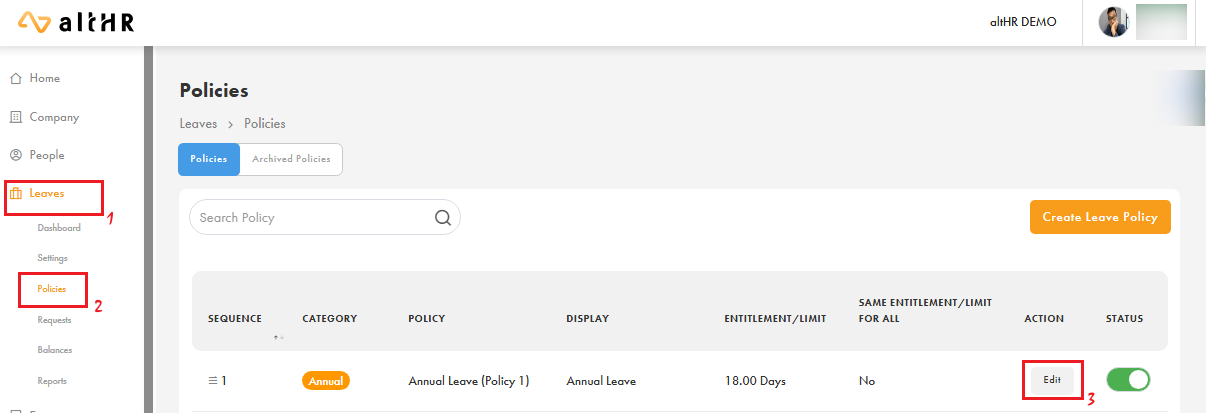
Take a screenshot and the example policy will be as below screenshots, it will be best to provide all 6 sections in the Annual Leave Policy for us to advice you better.
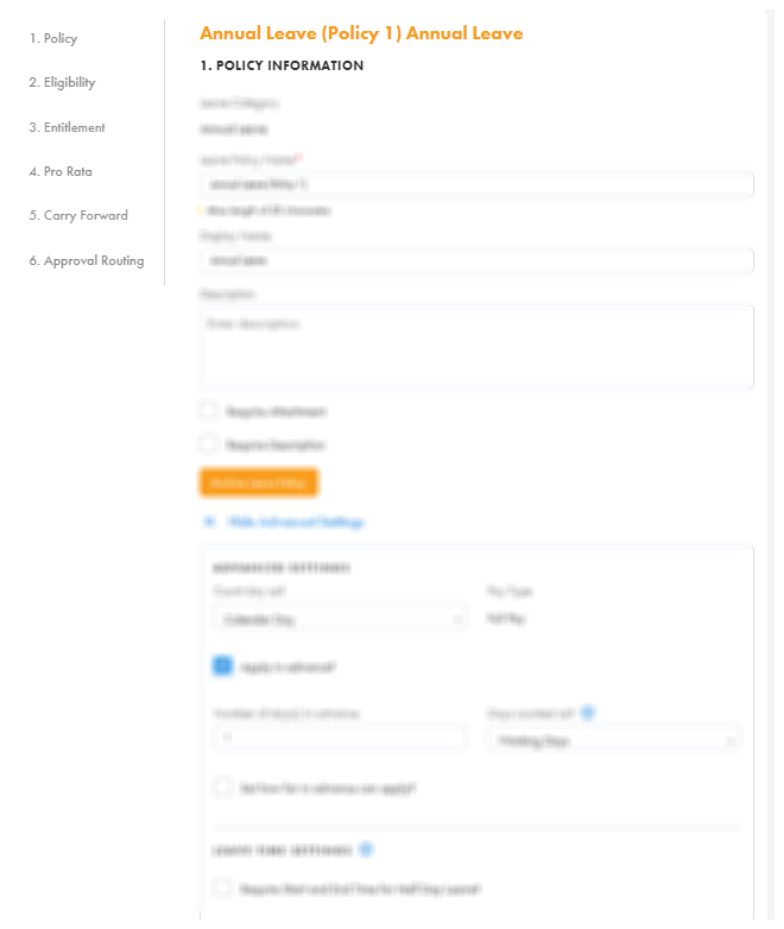
Policy
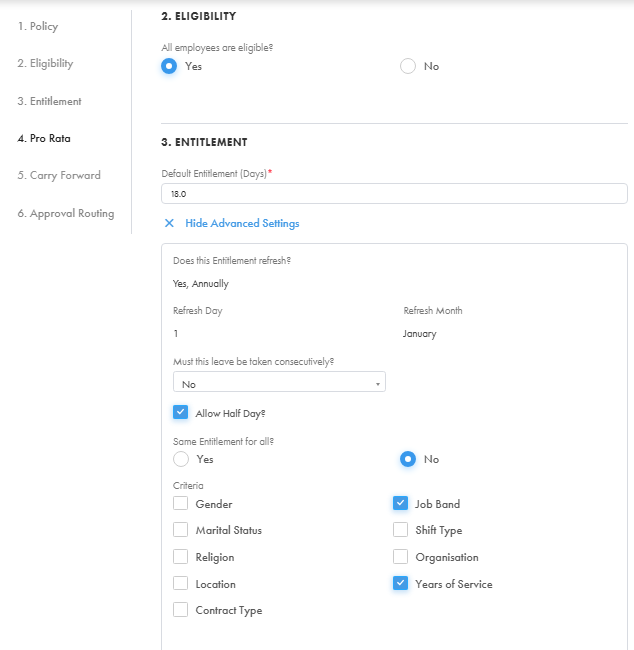
Eligibility & Entitlement (i)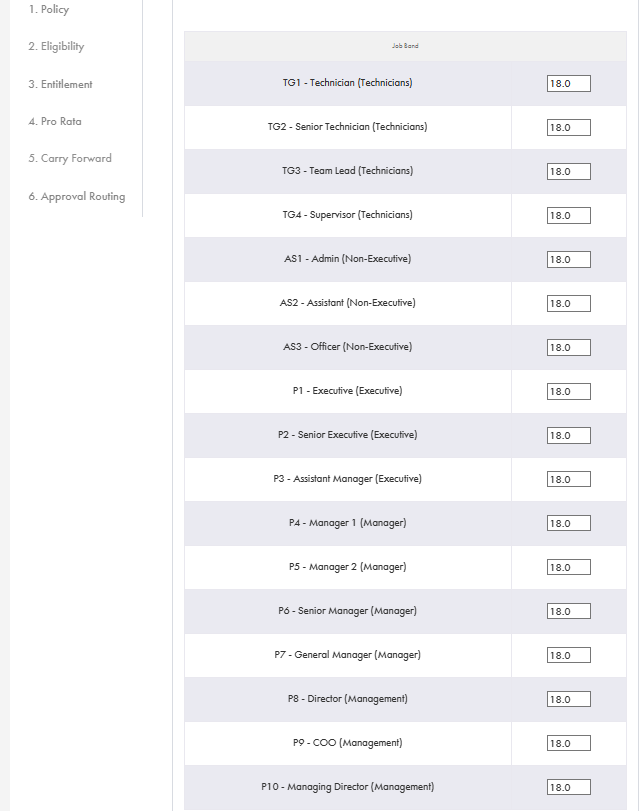
Entitlement (ii)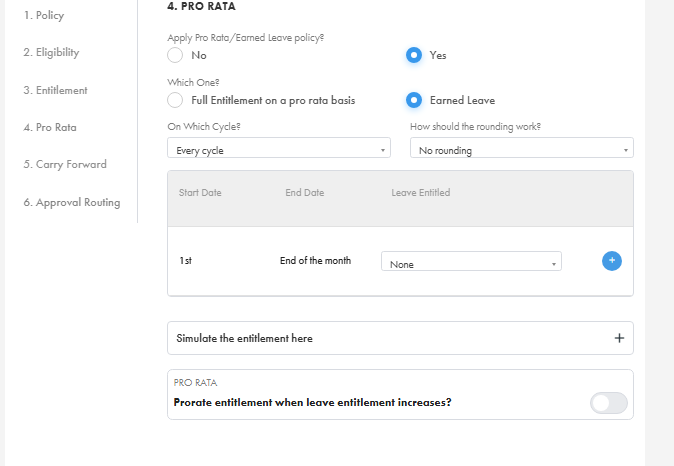
Pro Rota
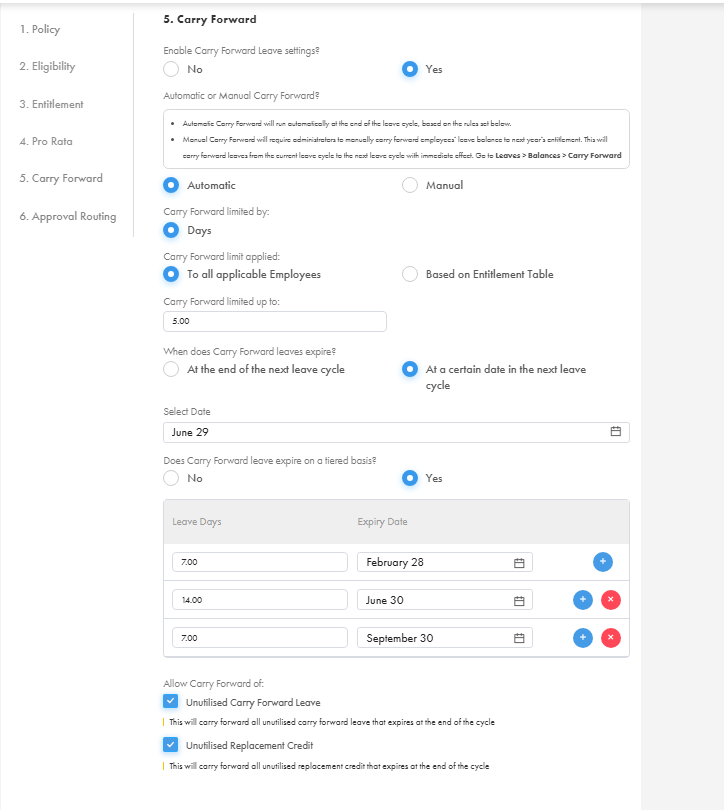
Carry Forward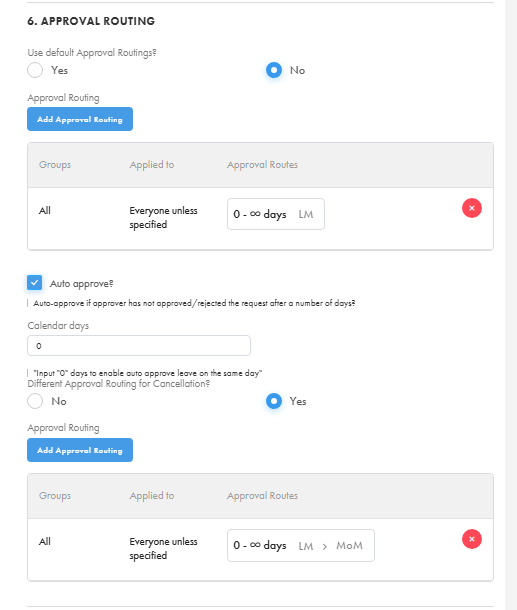
Approval Routing
Example: If you're submitting a ticket regarding a staff member's carry forward leave not reflecting correctly, please attach the relevant policy configuration screenshot so we can then advice you better. :)
Thank you for your cooperation and understanding.
Was this article helpful?
That’s Great!
Thank you for your feedback
Sorry! We couldn't be helpful
Thank you for your feedback
Feedback sent
We appreciate your effort and will try to fix the article