What Are Leaves Reports
As an admin, you can generate and download leave reports. altHR has several Leave Reports available, which admins can customise in terms of the range of the information captured.
What Type of Leave Reports are Available
The 2 types of filtered leave reports that you can generate for the specific selected employee are :
- Leave Request Report - This is the most commonly used report. It is a list of leave requests submitted by the selected employees.
- Leave Balance Report - This report helps you track the selected employees’ leave balance. It includes employees’ leave entitlement, utilised leaves, and more.
There are 2 sections in the Leaves module where you can do this:
Filtered Leave Request Report:
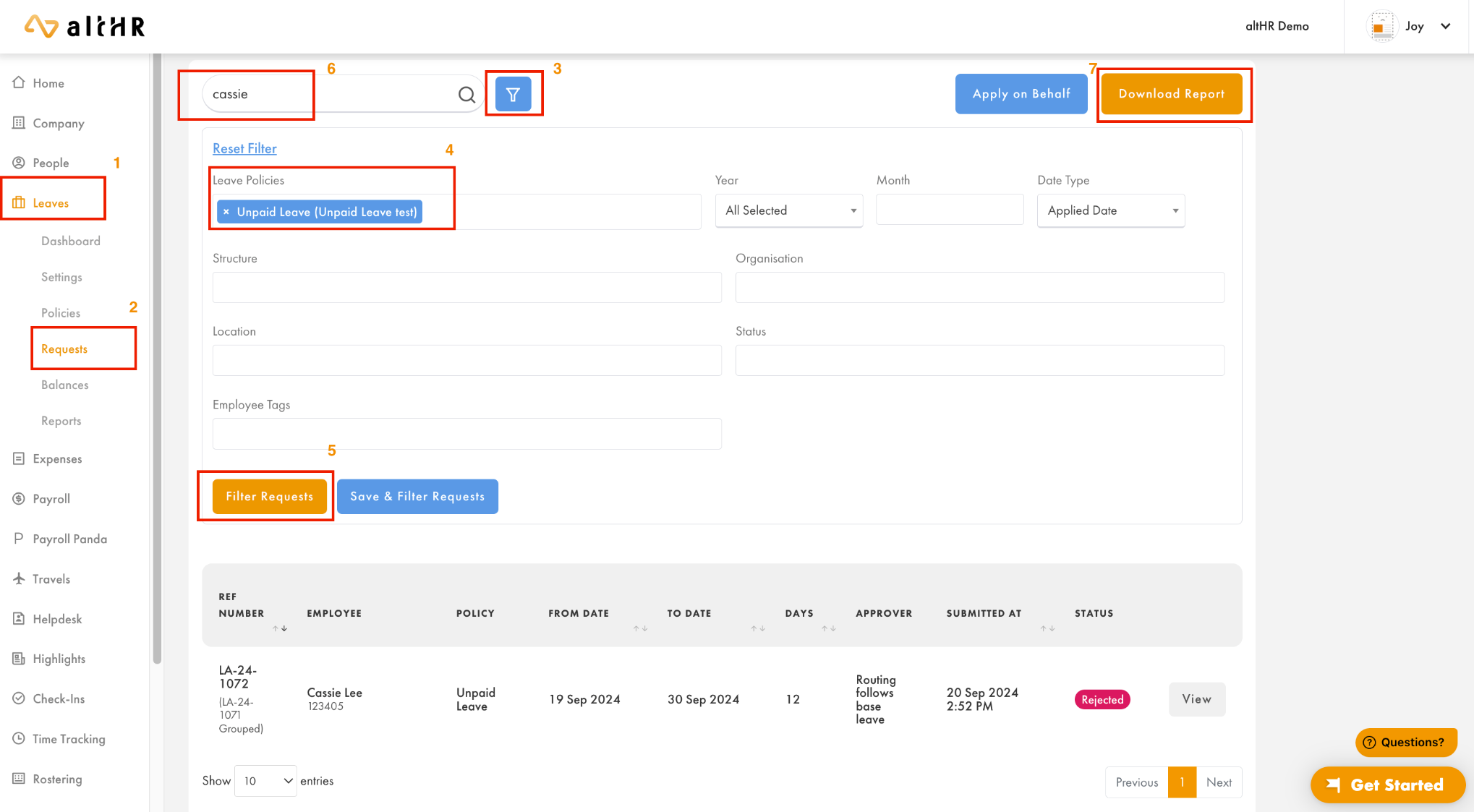
- Select Leaves to expand the selections
- Select Requests
- Click on the filter icon
- Set the Leave Policies text field to select the Leave Policies to be included in the report. You can also filter based on the selected period, location, organization, employee tags, or approval status.
- Select Filter Requests to filter the current requests
- If you would like to find a specific employee, key in their name in the search field and press enter to list out leaves requested only by that specific employee
- If you would like to generate a report for the current view click on Download Report to download an Excel .csv file.
Filtered Leave Balance Report:
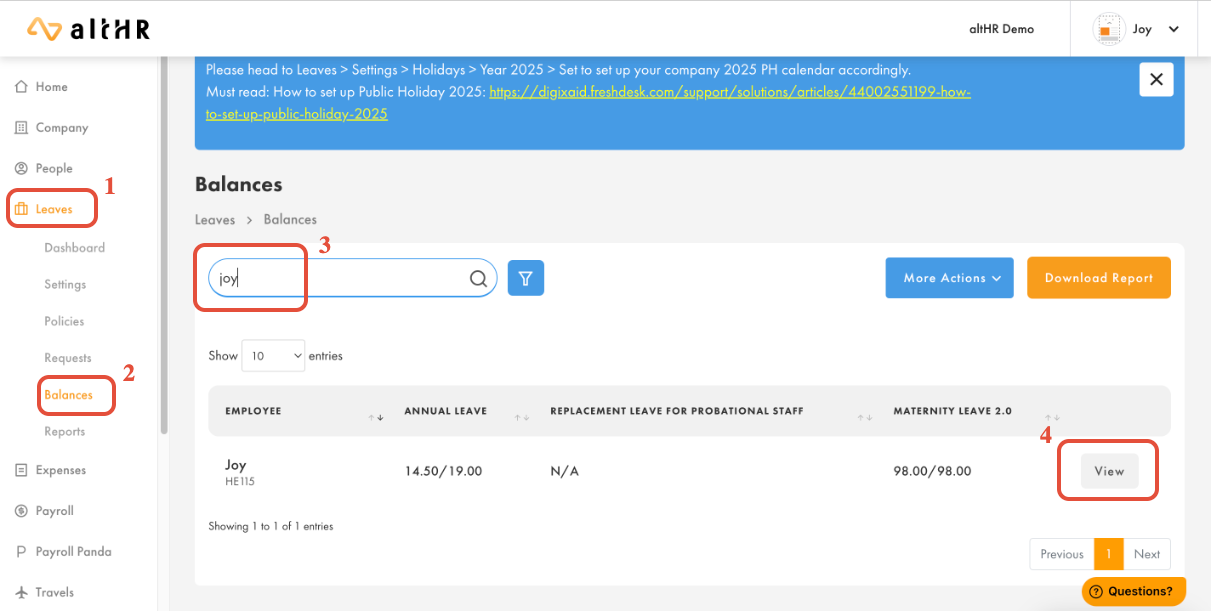
- Select Leaves to expand the selections
- Select Balances
- Search for the employee in the text field and press Enter on your keyboard to load the selection
- Select the View button
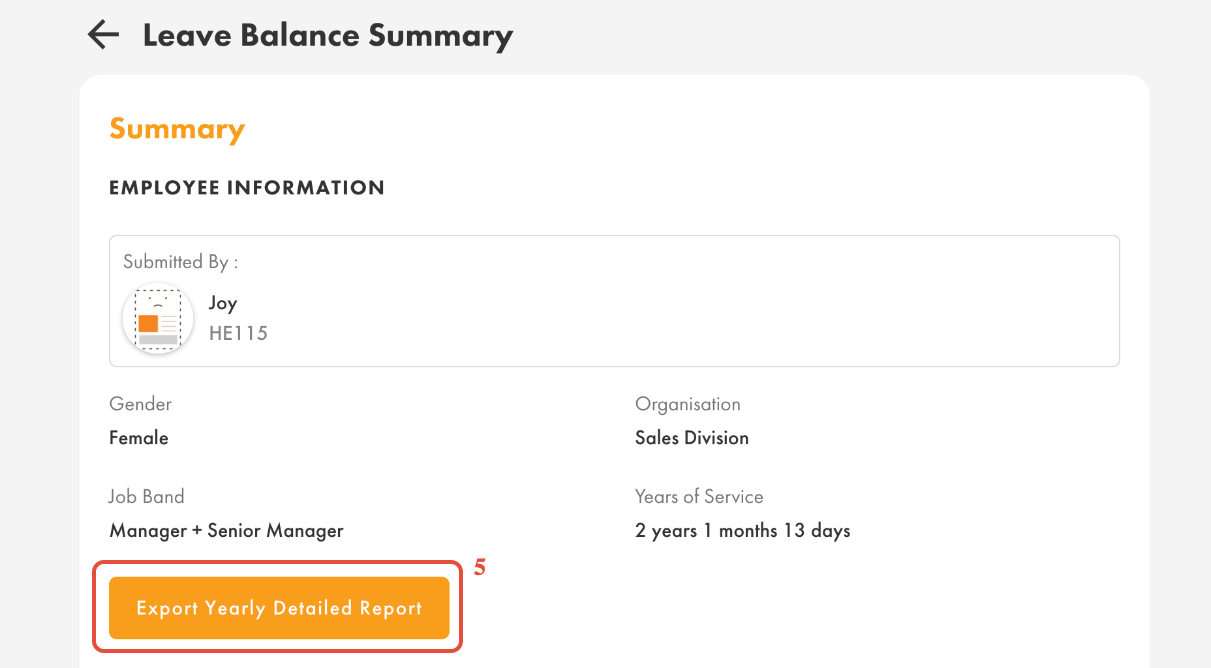
- Select Export Yearly Detailed Report
Was this article helpful?
That’s Great!
Thank you for your feedback
Sorry! We couldn't be helpful
Thank you for your feedback
Feedback sent
We appreciate your effort and will try to fix the article