TABLE OF CONTENTS
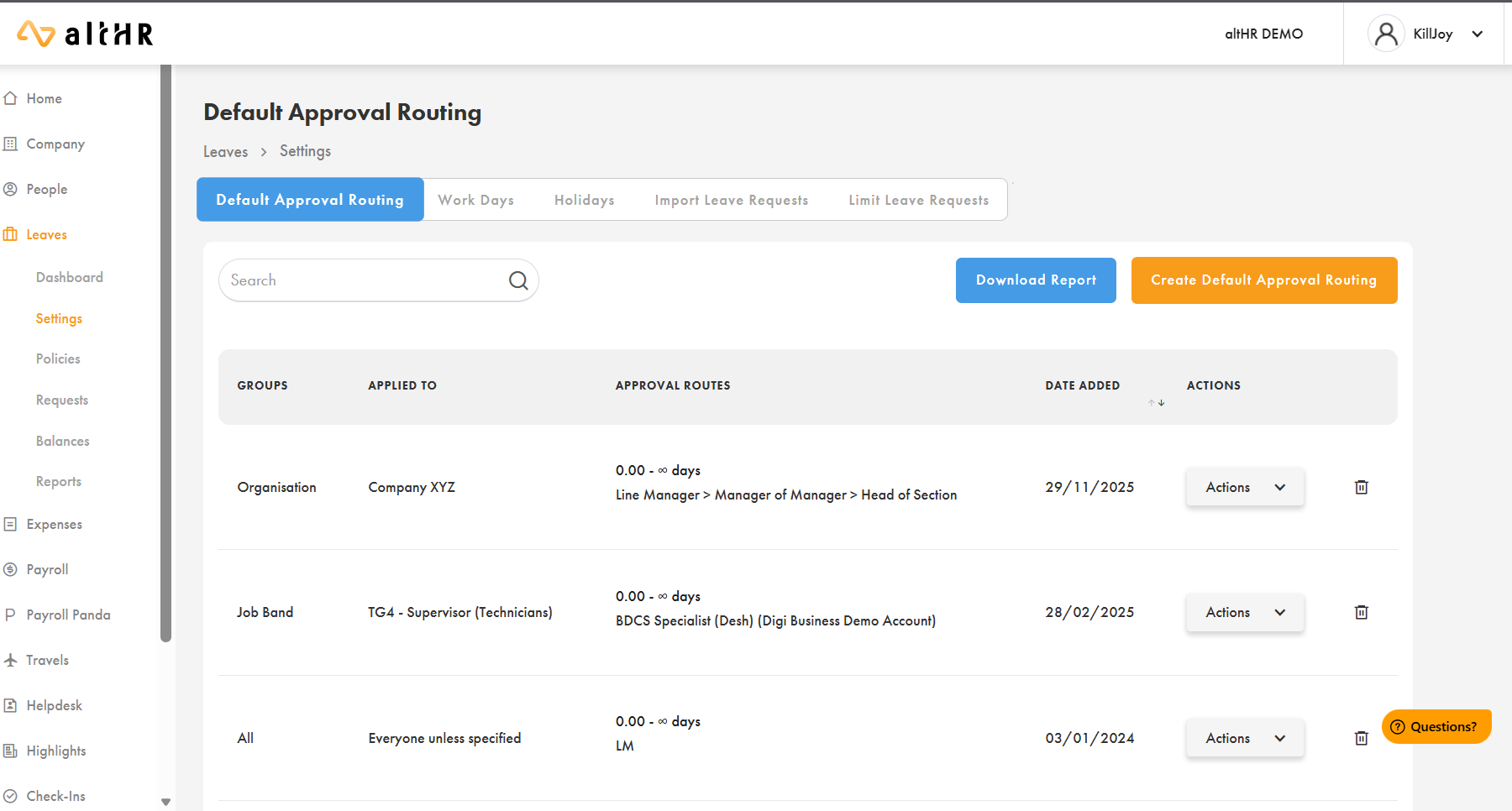
Applying Routing to Leaves
Go to Leaves > Settings > Default Approval Routing
Click Create New Approval Routing
Select:
Organisation(s)
Employee(s)
Contract type(s)
Choose a General Approval Routing from the dropdown
Click Confirm
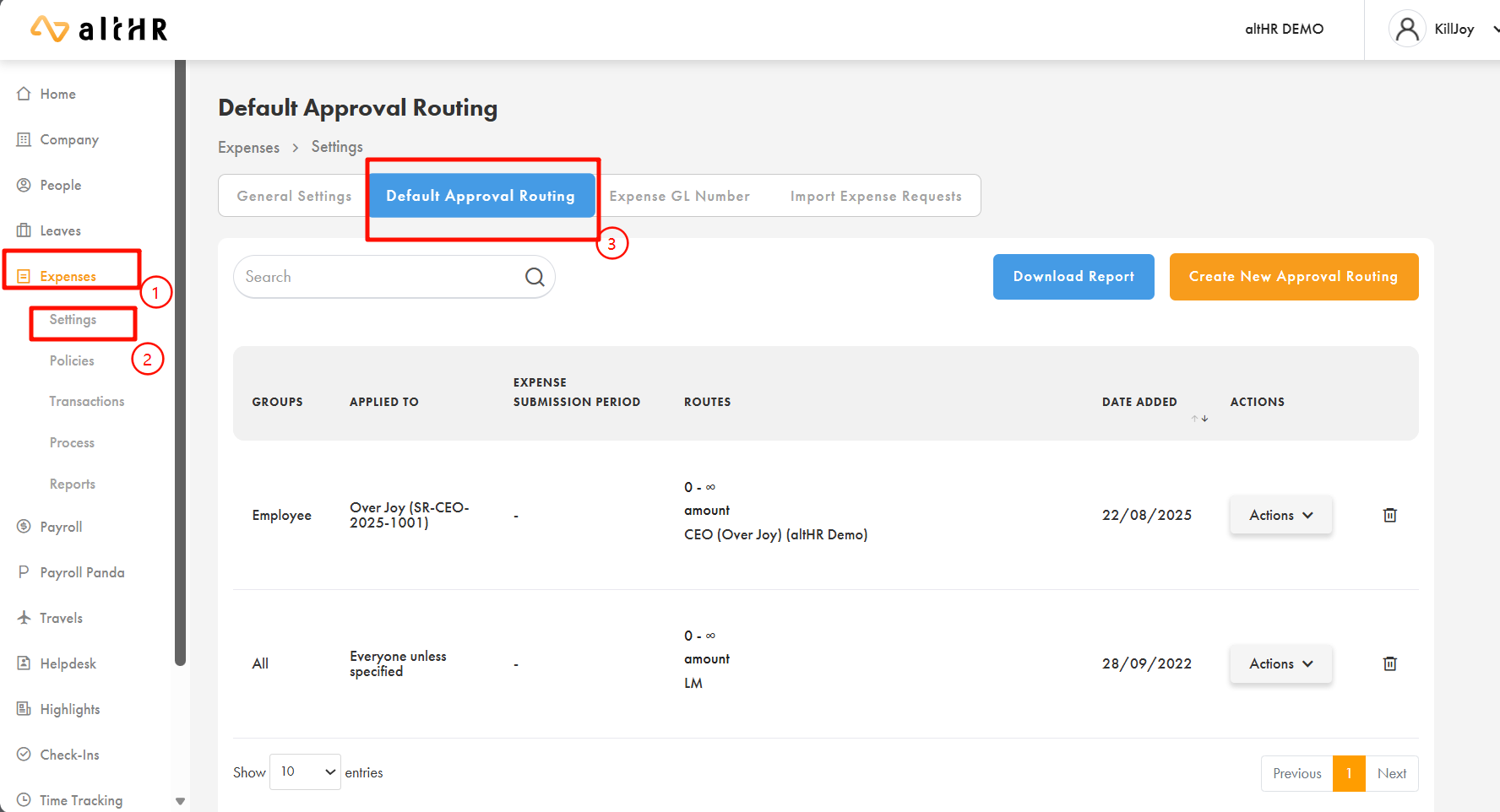
Applying Routing to Expenses
Go to Expenses > Settings
Select Default Approval Routing
Click Create New Approval Routing
Select organisation/employee scope
Choose your General Approval Routing
Confirm
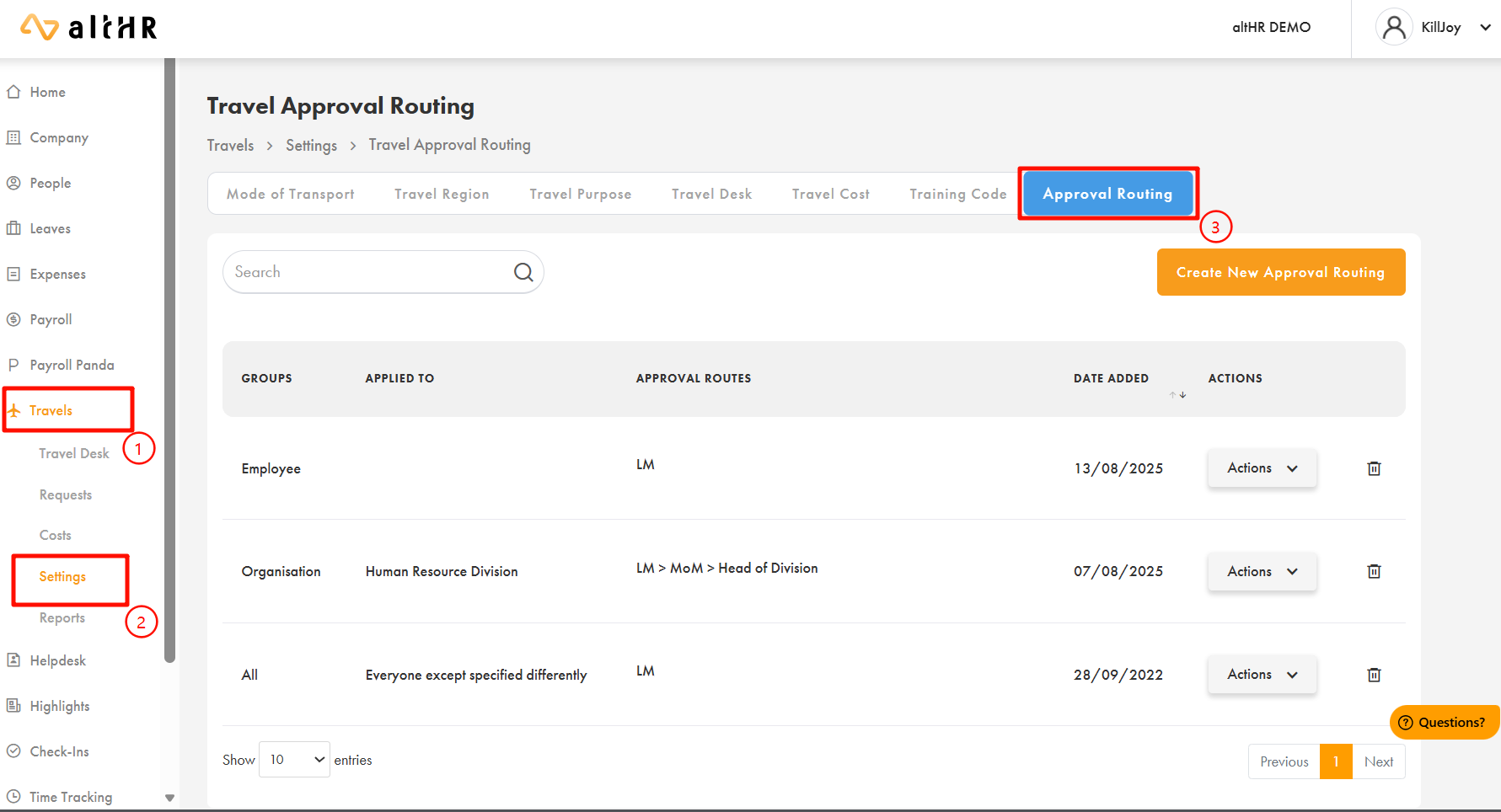
Applying Routing to Travel
Go to Travel > Settings
Select Approval Routing tab
Create new routing
Select organisations or employees
Choose routing template
Confirm
Was this article helpful?
That’s Great!
Thank you for your feedback
Sorry! We couldn't be helpful
Thank you for your feedback
Feedback sent
We appreciate your effort and will try to fix the article