What is Flexi Benefit's Proration?
Flexi Benefit proration happens when the employee is not having a full cycle of service ie. New hires or Resigned, their Flexi-Benefits points will be divide, distribute, or assess proportionately.
In the Flexi Benefit module, the proration formula is available for:
- New hire's Points entitlement
- New hire's Cost entitlement
- Resignee's Points entitlement
1. New Hire's Points Entitlement
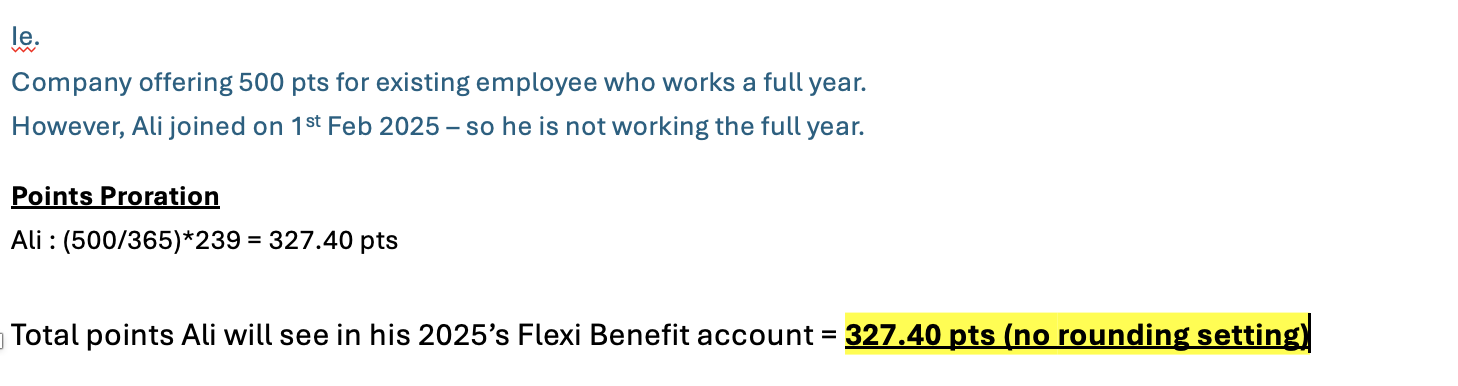
1.1 Formula & Example
Admin can set up the points for new joiner to be pro-rated, the default formula for proration (cannot be customised):
(Full Cycle Points/ Total Calendar Days in the Cycle)* Total Calendar Days from the First Day of Work until End date of the Cycle
1.2 How to Set Up for New hire's Points Entitlement in Admin Dashboard
- Login to your admin account > Flexi Benefit > Entitlements > Create New entitlement OR EDIT the existing entitlement you wish to apply for new hire's proration
- Scroll down to 4. "Pro-Rata"

- Click "Confirm" to save
2. New Hire's Cost Entitlement
Admin can set up the cost for new joiner to be pro-rated. For example, if the cost of the benefit will be lesser if it is not charged by your company vendor for full cost but pro-rated for new hires. Default formula:
(Full Cycle COST/ Total Calendar Days in the Cycle)* Total Calendar Days from the First Day of Work until End date of the Cycle
2.1 How to set up New Hire's Cost Entitlement?
- Login to your admin account > Flexi Benefits > Selection > Create new selection or EDIT your existing selection that you wish to activate the cost proration for new hires
- Scroll down to 4.Pro-Rata

3. Resignee's Points Entitlement
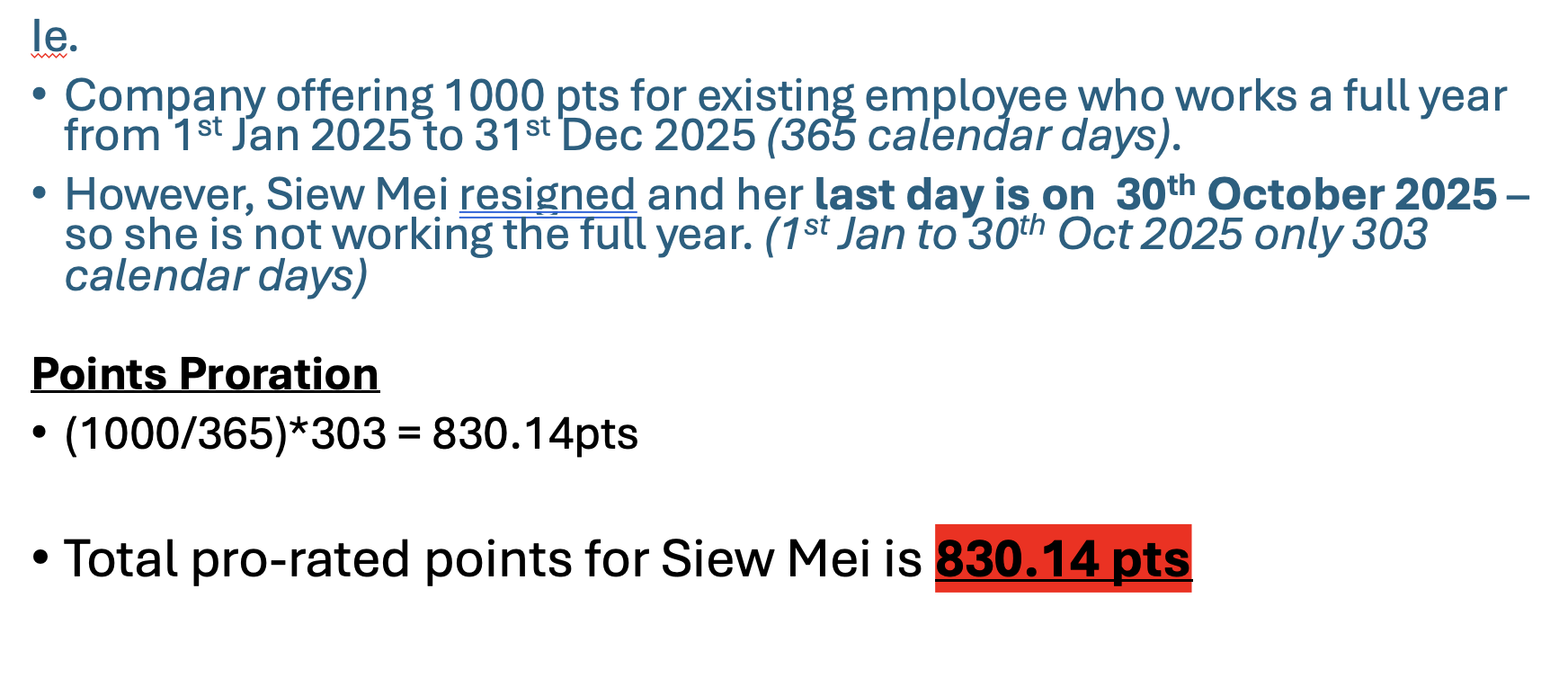
3.1 Formula & Example
Admin can pro-rate the cost for resignee's points if they don't serve the full cycle. The default formula:
(Full Cycle Points/ Total Calendar Days in the Cycle)* Total Calendar Days the Resignee has worked in the cycle
3.2 How to Pro-rate for Resignee's Points?
Please note that this is not configurable as an auto set up in the system like the new joiner's cost & points pro-ration; if Admin want to pro-rate the points for Resignee, must perform 1 by 1 by following steps whenever there's resign employee:
- Login to your Admin account > Flexi Benefits > Balance > Search for the resignee name > View
- Before this, please ensure that you have update the employee (resignee)'s last day of employment in their employee profile.
- Click "Resignation Pro-Rata"

- Click "Get Employment Last Day" > Click "Calculate & Save"

Was this article helpful?
That’s Great!
Thank you for your feedback
Sorry! We couldn't be helpful
Thank you for your feedback
Feedback sent
We appreciate your effort and will try to fix the article