Overview
Role Management allows admins to control who has access to the altHR admin dashboard and what they can do within it. Access can be assigned to individual employees or groups through access policies.
Types of Admins
There are two types of admins in altHR:
1. Full Access Admin
This admin has complete control over all modules in altHR, including the ability to manage settings, set up policies, and view all data (e.g. claim transactions, leave requests, employee data). They also have access to the Company module, making them the ultimate decision-makers for assigning admin roles to others.
Typically assigned to business owners, heads of HR, or special project officers overseeing the entire altHR system.
2. Module-Specific Admin
This admin is granted access only to certain modules or sub-modules based on their role. For example:
- A Finance Head may get full access to the entire Expense module to manage policies, settings, and resolve issues.
- A Senior Accountant may only access the expense transactions sub-module to process claim requests.
- An HR Admin may only access leave requests and leave reports sub-modules, without the ability to modify settings or policies.
The level of access granted ultimately depends on your company's needs.
Where Do Admins Log In?
Admins can access the admin dashboard at: https://admin.althr.my/login using their existing login credentials.
Note: You will not be able to access the admin dashboard if you have not been assigned admin access to at least one module.
How to Assign Admin Access
Follow the steps below to create an access policy and assign module permissions to employees.
Step 1: Navigate to Role Management
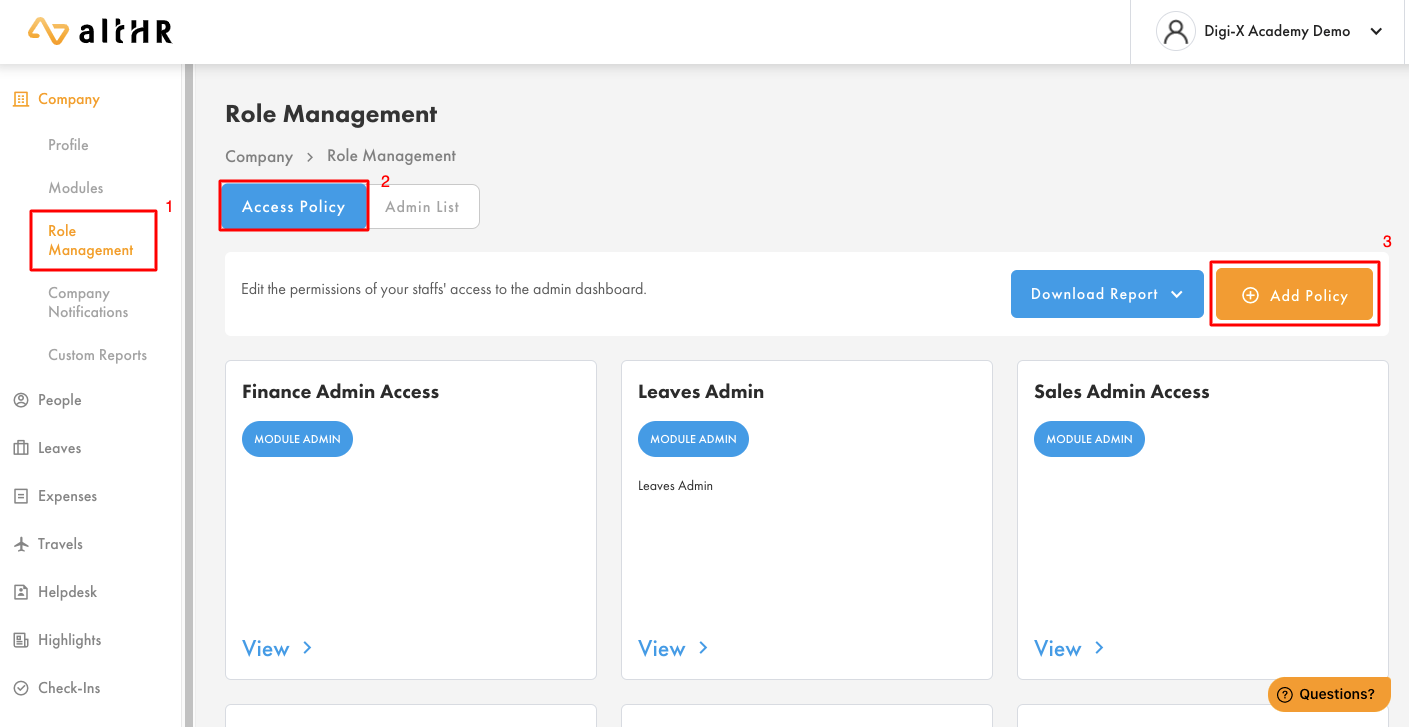
- On the left panel of your admin dashboard, go to Company > Role Management.
- Click on the Access Policy tab.
- Click Add Policy.
Step 2: Set Up the Policy
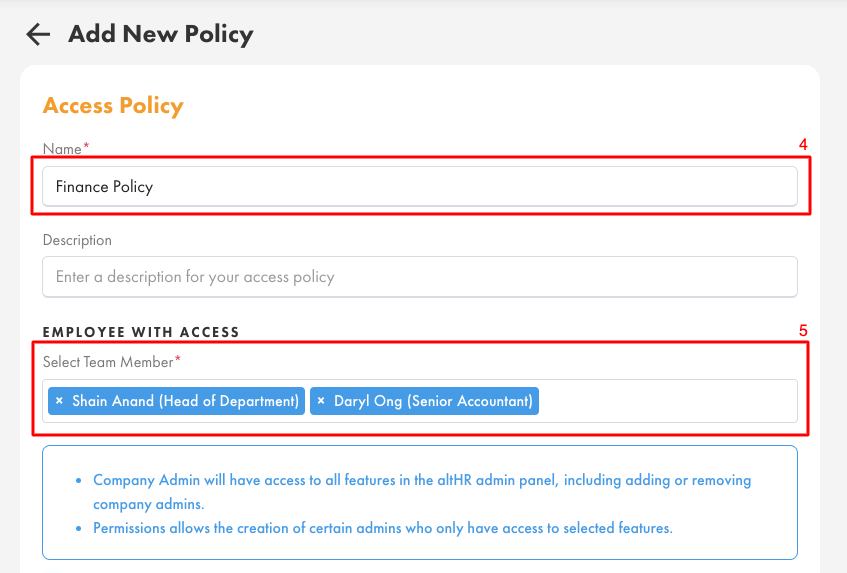
- Enter a Policy Name that clearly identifies the access level (e.g. "Finance Policy").
- Select the team members who will be covered under this policy.
Step 3: Choose the Access Level
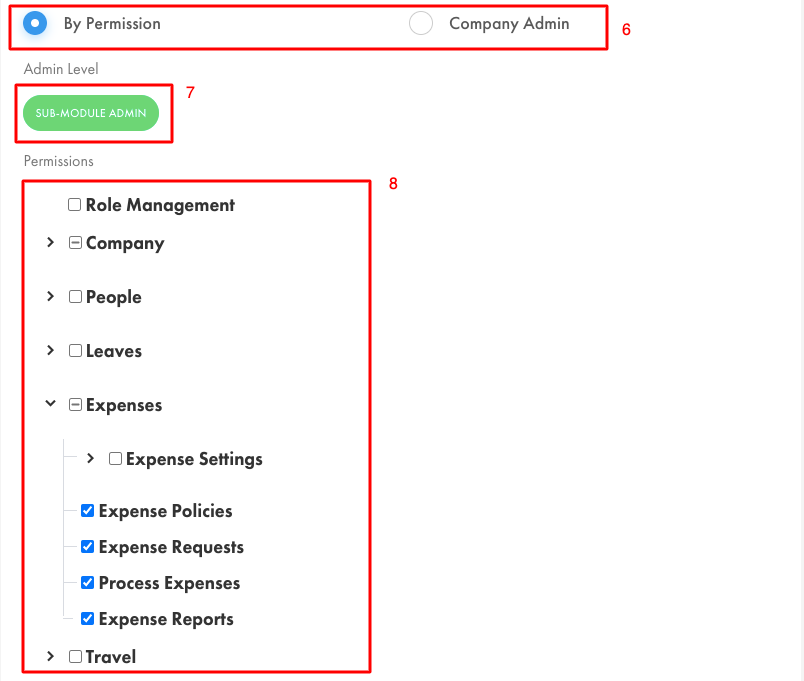
- Select one of the following:
- Company Admin — grants access to all modules.
- By Permission — grants access to specific modules or sub-modules only.
Note: When selecting By Permission, the admin level will be shown as Sub-Module Admin.
Step 4: Select Sub-Modules
- Choose the specific sub-modules you want to grant access to.
Step 5: Confirm
- Click Confirm to save the policy. The assigned team members will now be able to log in to the admin dashboard with access limited to the modules or sub-modules you have specified.
Related Articles
Was this article helpful?
That’s Great!
Thank you for your feedback
Sorry! We couldn't be helpful
Thank you for your feedback
Feedback sent
We appreciate your effort and will try to fix the article